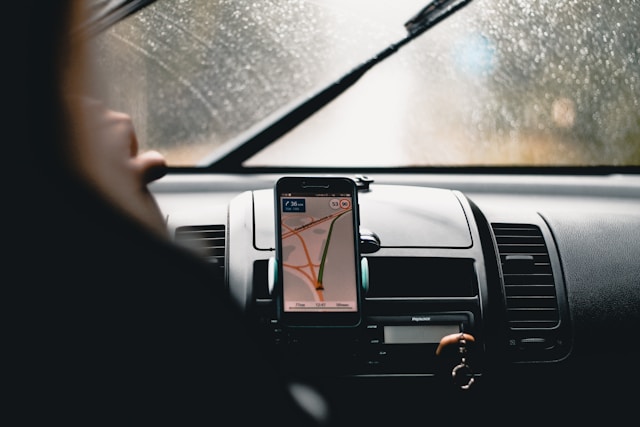
A GPS device is only as reliable as the data inside it. People often assume a navigation unit will stay accurate for years, but roads change constantly—new neighborhoods appear, exits get redesigned, speed limits shift, and construction reroutes traffic. When maps and firmware are outdated, even a high-quality GPS can lead you into unnecessary detours, missed turns, and incorrect arrival times. That’s why keeping a Magellan GPS updated—both maps and software—is not just a technical recommendation; it’s a practical habit that improves safety, convenience, and overall driving confidence.
The most obvious reason to update maps is accuracy. Map updates typically include new roads, revised intersections, updated routing logic, and new points of interest. Without these updates, a GPS may try to route you through streets that no longer exist, fail to recognize a new highway segment, or suggest inefficient turns because it doesn’t know the latest road layout. Even small changes—like a newly added roundabout or a relocated on-ramp—can confuse older map data and produce frustrating results.
Software updates matter just as much as map updates, but they’re often overlooked. Your device’s software controls the user interface, how quickly it searches for satellites, how it processes routing calculations, and how it communicates with update tools. A software update can improve system stability, fix bugs, boost responsiveness, and sometimes add features that make the device easier to use. For drivers who rely on GPS daily—commuters, delivery workers, road trippers—these improvements can be the difference between a smooth trip and a stressful one.
Another key benefit of updates is better guidance for real-world driving. Updated routing algorithms can handle modern driving patterns more intelligently, including complex interchanges, multi-lane exits, and newly created connector roads. When your device’s logic is current, estimated arrival times often become more accurate because the GPS can choose routes that reflect how roads are actually structured today. While real-time traffic depends on device capabilities and services, even “offline” routing benefits from current map geometry and improved road classification.
Points of interest are another reason people update. A GPS isn’t only for roads—it’s also for finding places. Updated POI databases can include newer gas stations, restaurants, medical centers, hotels, parking areas, and service locations. This matters most when traveling. If your data is old, you might search for a nearby gas station and be directed to a location that closed years ago. That’s not a minor inconvenience if you’re low on fuel late at night or in an unfamiliar area.
Updating also supports safety. Navigation errors can cause sudden lane changes, rushed turns, or last-second decisions—especially in dense city traffic. When your map data is current, your device is more likely to give instructions at the right time, with the right lane guidance, and with fewer surprises. That reduces cognitive load and helps you keep attention where it belongs: on the road.
A practical update routine is simple: check for updates periodically, especially before long trips. Many people only notice their maps are outdated when a route fails. A better habit is proactive maintenance—like checking tire pressure before a road trip. The time you invest upfront saves time later, and it prevents the kind of avoidable stress that can ruin travel plans.
It’s also useful to understand that updates may come in different forms. Some devices support updates through a computer connection and dedicated management software, while others allow updates through built-in Wi-Fi. The workflow differs by model, but the purpose is the same: keep the map database and device software aligned with current reality. If your device supports Wi-Fi updates, the process can be particularly convenient—connect to a network, check for available updates, and follow on-screen steps. If updates require a computer, the process still tends to be straightforward: connect via USB, open the management tool, and apply the updates provided for your device.
When troubleshooting update issues, the most common problems are surprisingly basic: unstable internet, outdated management software, incomplete downloads, insufficient storage space, or a poor USB connection. Solving these usually means verifying the connection, ensuring the device has enough free memory, and letting updates finish fully without interruption. Patience matters; interrupting an update can create errors that take longer to fix than the update itself.
Ultimately, GPS updates are about trust. A navigation device is a decision-making tool. You rely on it to guide you when you’re tired, rushed, or unfamiliar with a place. Keeping it current protects that trust. Updated maps and software reduce mistakes, improve routing, and deliver a smoother experience—so the device works the way you expect it to, every time you turn it on.